The short way · सबसे आसान रास्ता
One step: send your jamabandiबस जमाबंदी भेजिए
- Send the jamabandi on WhatsApp — a photo of the paper or the PDF nakal downloaded from Apna Khata. Add the village name if the paper is faint.
- We read it and build the listing. Khasra, khata, rakba and the village line are pulled off the document; the team checks them, calls you for anything missing, and prepares the parcel page for you.
- You approve it. Nothing goes live until you have seen it.
No account, no form, no typing. This route is free too — commission is due only when a sale completes.
Send my jamabandi · जमाबंदी भेजेंWhatsApp +91 70149 86988 · एक मैसेज काफ़ी है
AgriZameen works one corridor in depth — Phulera – Sambhar – Naraina – Rupangarh, plus Nawa, Khatu Shyam Ji · Ringas, Dudu and Bichun. If your land is in that belt, everything below applies. If it is elsewhere in Rajasthan, message us anyway and we will tell you honestly whether we are the right people for it.
The long way, if you would rather do it yourselfया ख़ुद करें — नौ कदम
The seller account gives you your own dashboard: every parcel, its status, its photos and its PDF, in one place. Nine steps, and you can stop at any point and come back.
Before you begin — keep these readyशुरू करने से पहले
- An email address you can open today, and the mobile you actually answer.
- One ID — PAN, Voter ID, Driving Licence, Passport, or a masked Aadhaar.
- Your jamabandi or nakal — photo or PDF. The form reads it for you.
- Four or five photos of the land from your phone. Plain photos are fine.
- A rough idea of the area — bigha, biswa, acre, hectare, whichever you use.
Missing something? Start anyway. Nothing here has to be perfect on the first try, and we fill the gaps with you on a call.
My papers are ready — what next?WhatsApp +91 70149 86988 · कागज़ भेजिएOpen the seller pageसेलर पेज खोलें
On any page of agrizameen.com, tap the person icon (Sign in) at the top right — or use the footer link Sell your land. Both open the same screen.
Straight there: agrizameen.com/account/
You will land on Seller Sign In. Tap Create account under the button.
Send me the seller linkWhatsApp +91 70149 86988 · अभी बात करें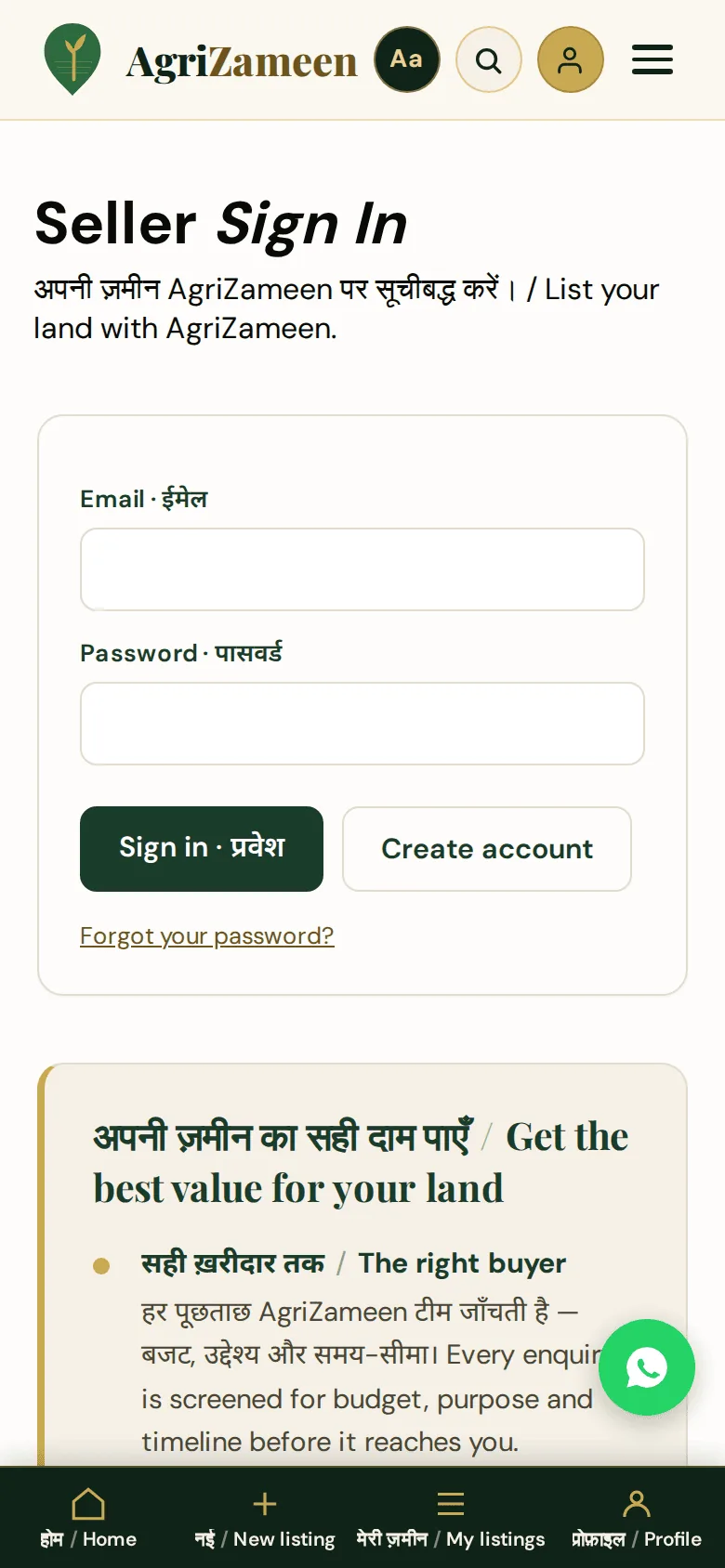
Create your accountअपना खाता बनाएँ
Four fields, nothing more:
- Full name · पूरा नाम — as it appears on your ID.
- Email · ईमेल — one you can open today. The verification link goes here.
- Mobile · मोबाइल — your WhatsApp number is best; this is how our team reaches you.
- Password · पासवर्ड — at least 8 characters.
Tick the privacy consent box, then Create account · खाता बनाएँ.
On an iPhone or iPad: type the password rather than pasting it from Notes — smart punctuation can slip a curly character in.
Help me create my accountWhatsApp +91 70149 86988 · अभी बात करें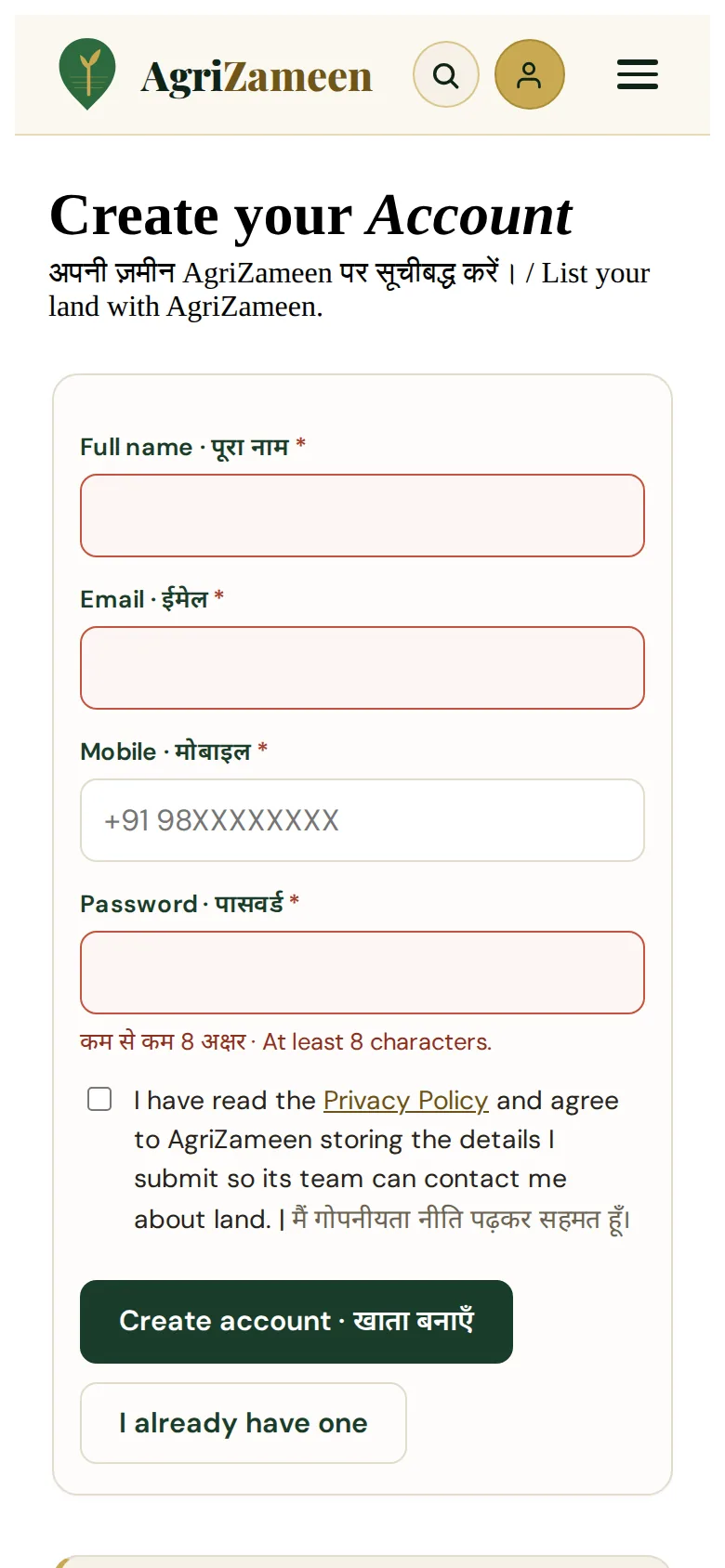
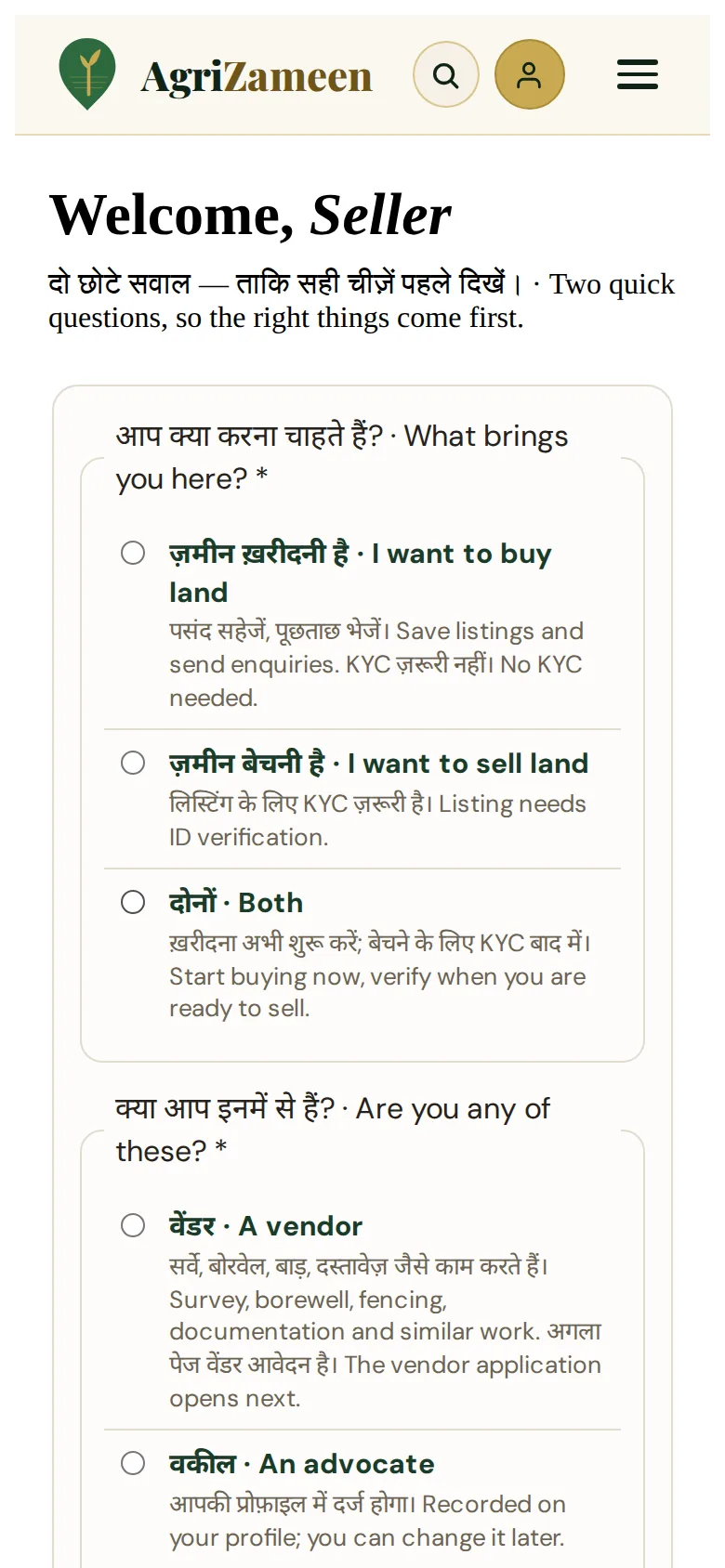
Then two quick questions · दो छोटे सवाल. The first time you sign in, one screen asks what brings you here — buy, sell or both — and whether you are a vendor, an advocate or none of these. Pick one of each and press आगे · Continue.
- Sell or both — you go straight to New listing.
- Vendor — the vendor application opens next; a person reads every one before anything is listed.
- Advocate — noted on your profile; you can change it under Profile.
It is asked once. Accounts that already existed are not asked.
Verify your emailईमेल सत्यापित करें
We send a verification link to the address you entered. Open the mail and tap the link — that is the whole step. Check Spam and Promotions if it has not arrived within a few minutes.
Nothing arrived? Do not create a second account — that only splits your listings across two logins. Message us and we will verify you from our side.
I did not get the emailWhatsApp +91 70149 86988 · अभी बात करें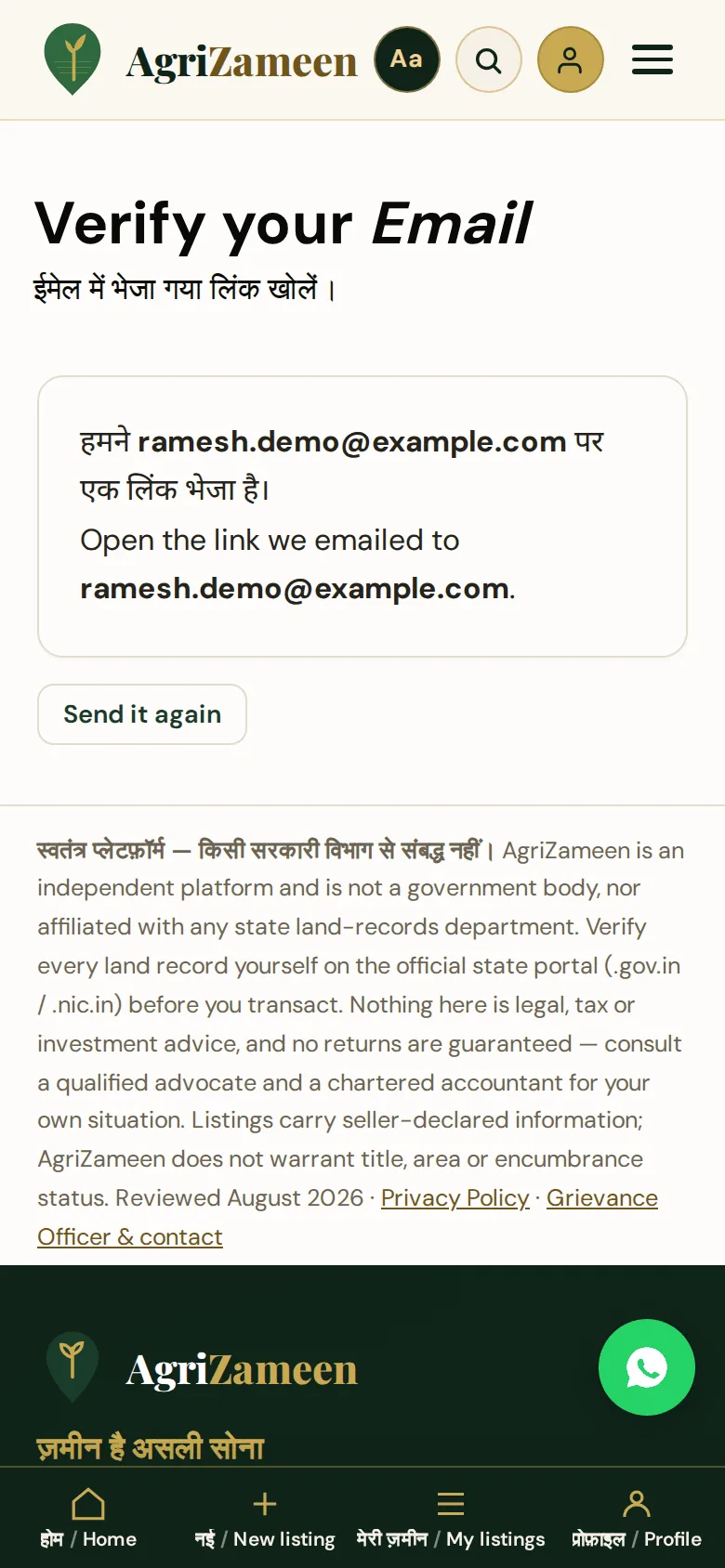
Give the number we will ringवह नंबर दें जिस पर हम कॉल करें
The account asks for a mobile number and saves it — there is no code to wait for. WhatsApp verification is switched off at the moment, so giving the number is the whole step. This is the phone our team calls when a screened buyer is ready, so make sure it is the one you answer.
Your number is never shown on the website. No buyer, and no visitor, ever sees it.
Wrong number on the account? The screen has a WhatsApp link to have the team change it — you do not need to start again.
Verify my mobile for meWhatsApp +91 70149 86988 · अभी बात करें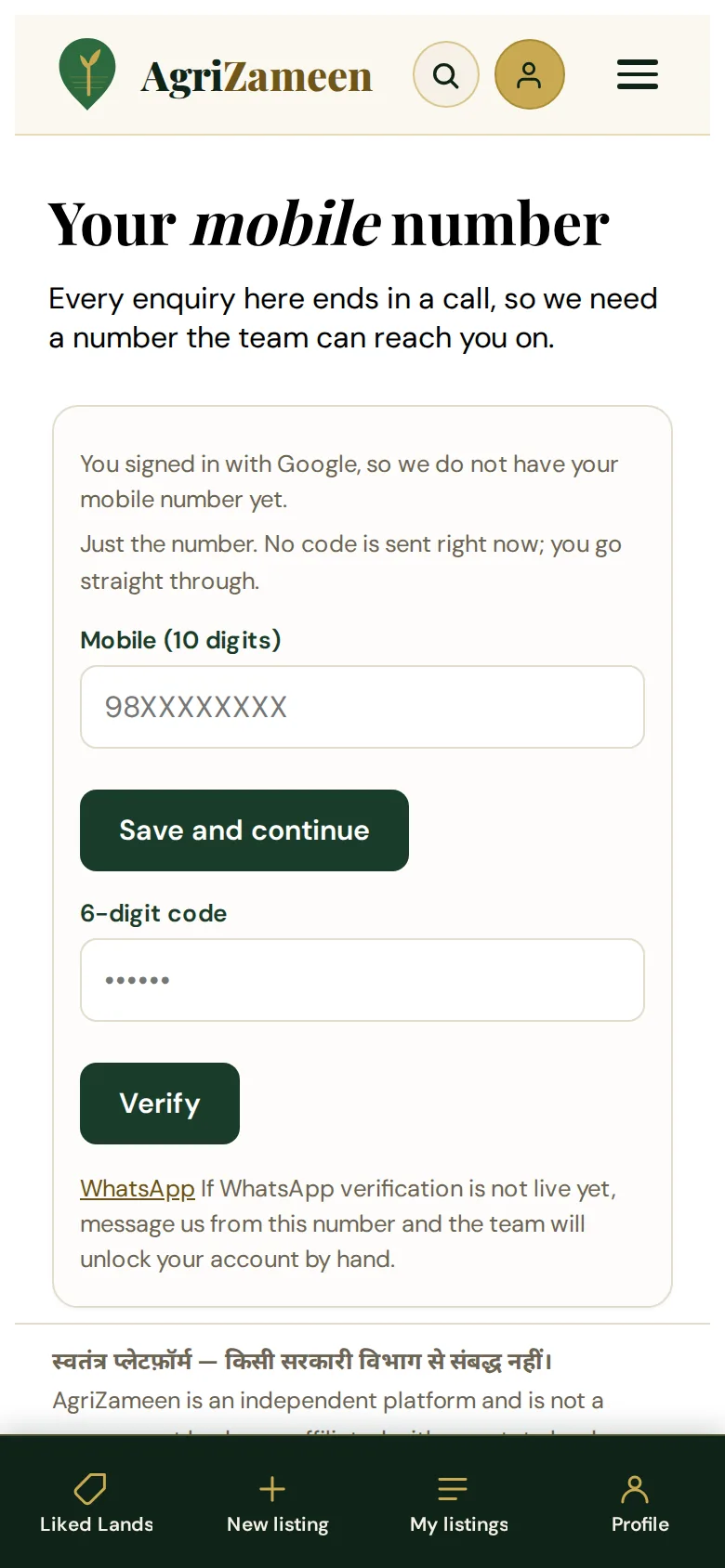
Upload one ID proofएक पहचान पत्र अपलोड करें
One photo or scan of any one of these:
- PAN card
- Voter ID
- Driving Licence
- Passport
- Masked Aadhaar — showing only the last four digits
Do not upload a full Aadhaar. The upload screen says so, and refuses it by design. If you only have Aadhaar, download the masked copy from the UIDAI site, or send a different ID.
What happens to the file: it is stored outside the website, where no web address can reach it. The moment our team verifies you, the file is deleted from the server. Only the record that you were verified survives — not the document.
Ask about ID proofWhatsApp +91 70149 86988 · अभी बात करें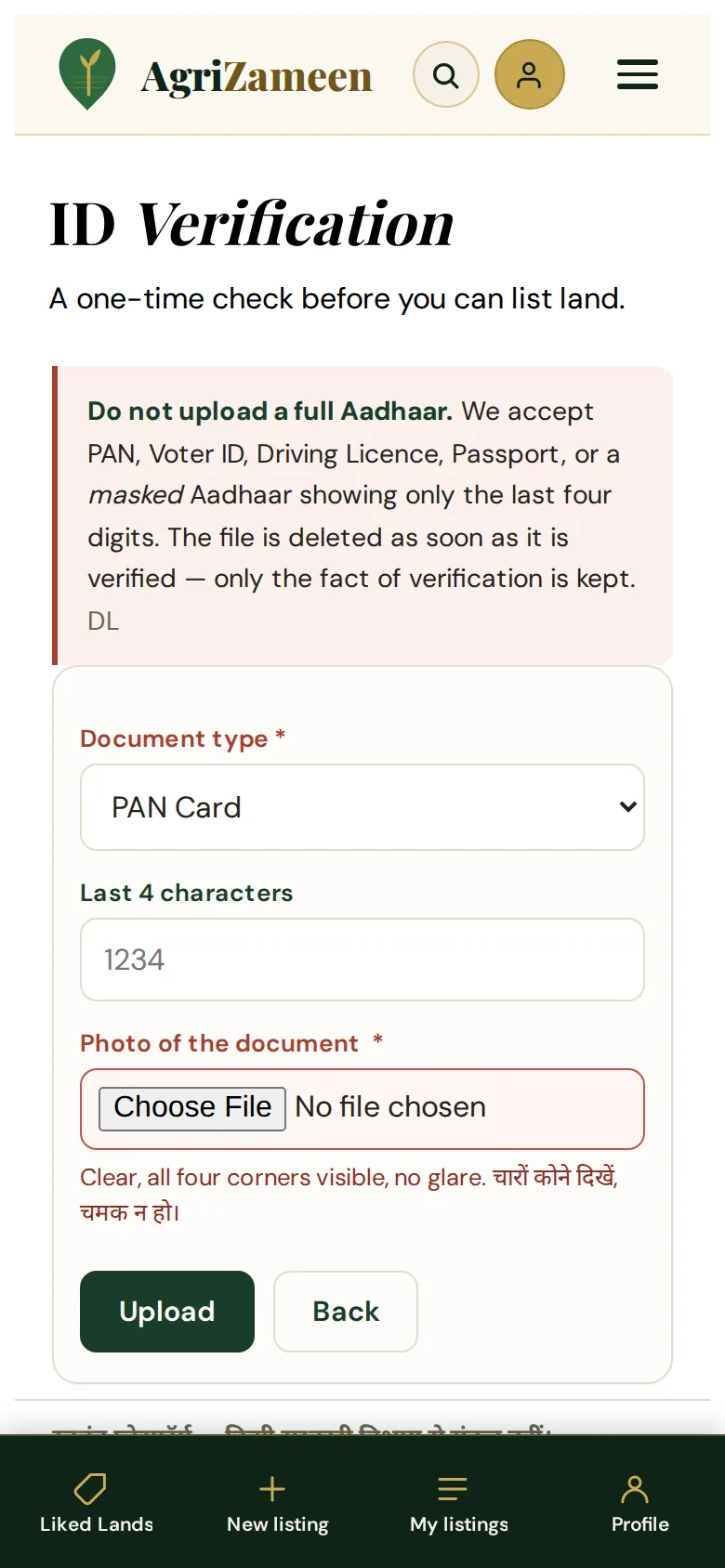
We verify youहम आपकी जाँच करते हैं
Usually within a working day. Adheer or Tarun checks the ID against the name on the account, and usually calls or WhatsApps you to say hello. A person reads it — so if something does not match, we ask you rather than silently rejecting you.
You can start writing a listing straight away; verification is needed only to send it to the team. That gate is deliberate: it is what keeps fake parcels off the site.
Check my verification statusWhatsApp +91 70149 86988 · अभी बात करें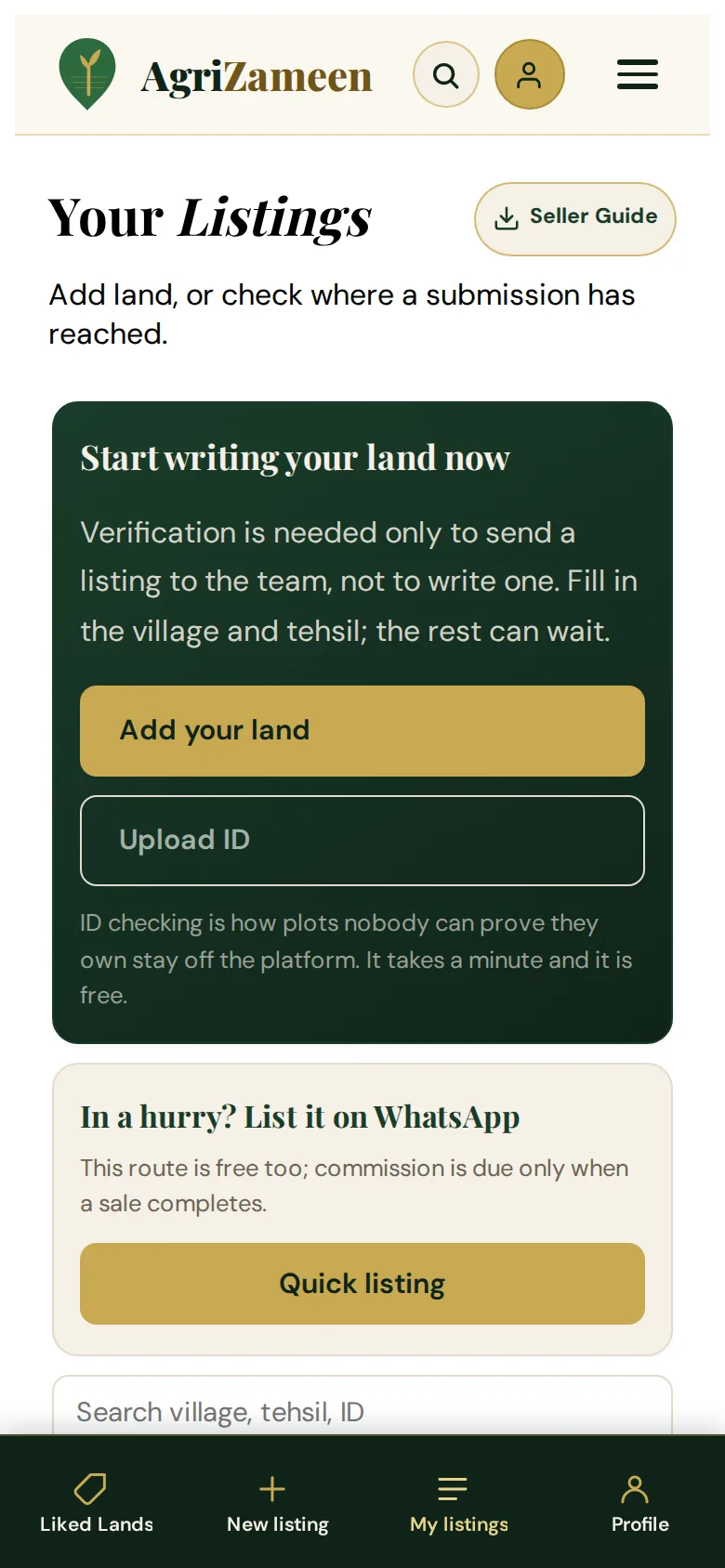
Submit your landअपनी ज़मीन दर्ज करें
Open New listing from the bar at the bottom. It first asks which language you want — हिन्दी or English. The form, and the rest of your account, then show that one language; you can change it later under Language in the menu (☰). Start by uploading the jamabandi in the Fill from jamabandi box — khasra, khata, rakba and the village line are read out of it and placed in the form for you — where the nakal lists several khasras, one Use fills a line for each, with its rakba. Check what it read against your own paper before you send; the record is yours, and a reader is a reader.
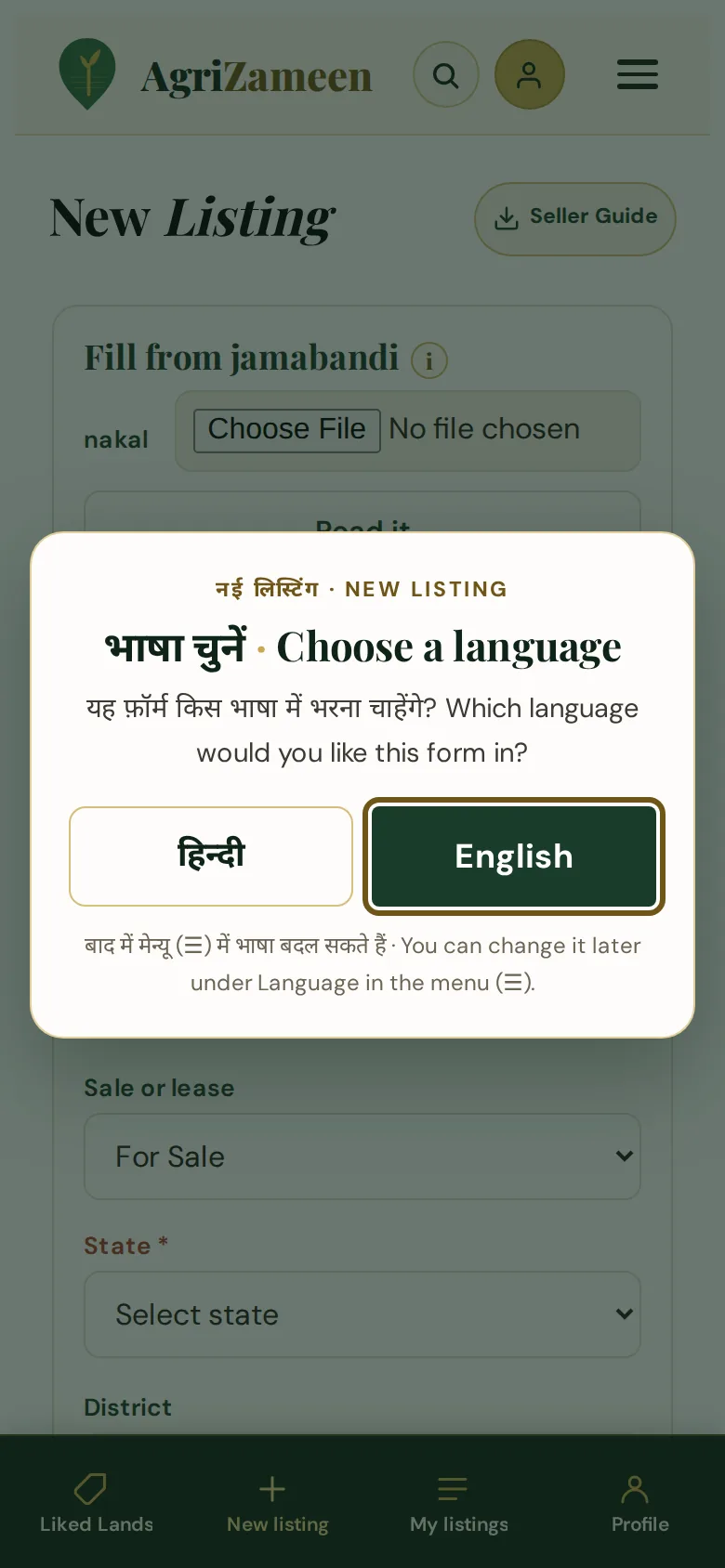
Then fill or correct the rest. The form has two steps, shown as a bar at the top, and Save draft keeps your place. Fields marked with a red label and * are the ones you must fill.
- 1 · Land Details — land type, sale or lease, how much is for sale, number of khatedars, area and unit, classification; then the records.
- Records — each khasra on its own line, with its rakba beside it exactly as the nakal prints it. One khata often lists several khasras: press Add another khasra for each, and × to remove one. Then the khata number, the owner name as printed on the record, and a tick for Mutation is in my name.
- The labels follow your state. In Rajasthan the fields read Khasra and Khata / Khevat, and the line under them names the record: the Jamabandi. Pick another state and they change to that state's own words where the Department of Land Resources glossary gives them — Sarve Nambar in Gujarat, Khesra Sankhya in Bihar — with the name of that state's record. Where the glossary does not name them, the plain Khasra no. and Khata no. stay.
- 2 · Location Details — state, district, tehsil, village, pin code and the Google Maps link.
- 3 · More Details — the plot map, headline, who is listing (owner, owned by a relative, or broker — seen only by our team), the price, road width, nearby development, a description in your own words, and plain phone photos of the land.
- Price — starts on A rate per bigha / hectare / acre, the way land here is usually quoted; the total is worked out from your rate and the area. Show price is on by default, because a listing with a price is the one buyers open. Choose Price on request or Hide if you would rather not show it.
Small ⓘ buttons beside a heading or a label open a short note; nothing important is hidden behind them that you need in order to fill the form.
District and tehsil are picked from lists, and the village box suggests names as you type. For a state our place directory does not hold yet, the three are plain boxes you type into — nothing is invented for you.
The map link fills the address. Stand on the plot in Google Maps, share the place, paste the link and tap Fill address, on the same line as the Google Maps link label. State, district, tehsil and village fill from the link when the place name and the pincode agree; where they do not, the form says so and fills only what it can prove. A dropped pin with no name still fills district and tehsil from the pincode you typed.
Record and map are checked against each other. If you uploaded the jamabandi and pasted the map link in the same sitting, a card under the map link tells you whether the two agree: ✓ match means the nakal and the pin resolve to the same village; ✗ mismatch means they do not, and one of them is the wrong paper or the wrong spot. Nothing is chosen for you — but a mismatch is worth fixing before you send, because the team will see the same card.
Then Save draft any time, and Submit for review when the paper and the pin agree. A listing cannot be sent without a map link.
मैप लिंक चिपकाइए और 📍 पता भरें दबाइए — राज्य, ज़िला, तहसील और गाँव लिंक से भर जाते हैं। जमाबंदी और मैप लिंक दोनों हों तो फ़ॉर्म बताता है कि दोनों एक ही गाँव कहते हैं या नहीं।
Send my land details on WhatsAppWhatsApp +91 70149 86988 · अभी बात करें
Our team builds the listingलिस्टिंग हमारी टीम बनाती है
You do not publish the page yourself, and that is on purpose. Redacting a document, tracing the plot boundary and writing the parcel description stay with our team — one badly placed blur box would put a khatedar's name on a public website, and that cannot be taken back.
The form says so where you enter it. The ⓘ beside the Records heading opens a note headed Never published: khasra numbers and owner name are never shown on the website; they stay with the team so the land can be checked against the record. That holds for every khasra you add, and for each rakba.
What never reaches the public page: khasra and khata numbers, the khatedar's name, your price floor and the exact coordinates. These are not hidden by a setting someone could switch on by mistake — they live in a separate place the public page does not read from at all.
Upload the bhunaksha and the plot outline is traced from it, with the khasra numbers on the map removed before anything is published.
Ask about my listing draftWhatsApp +91 70149 86988 · अभी बात करें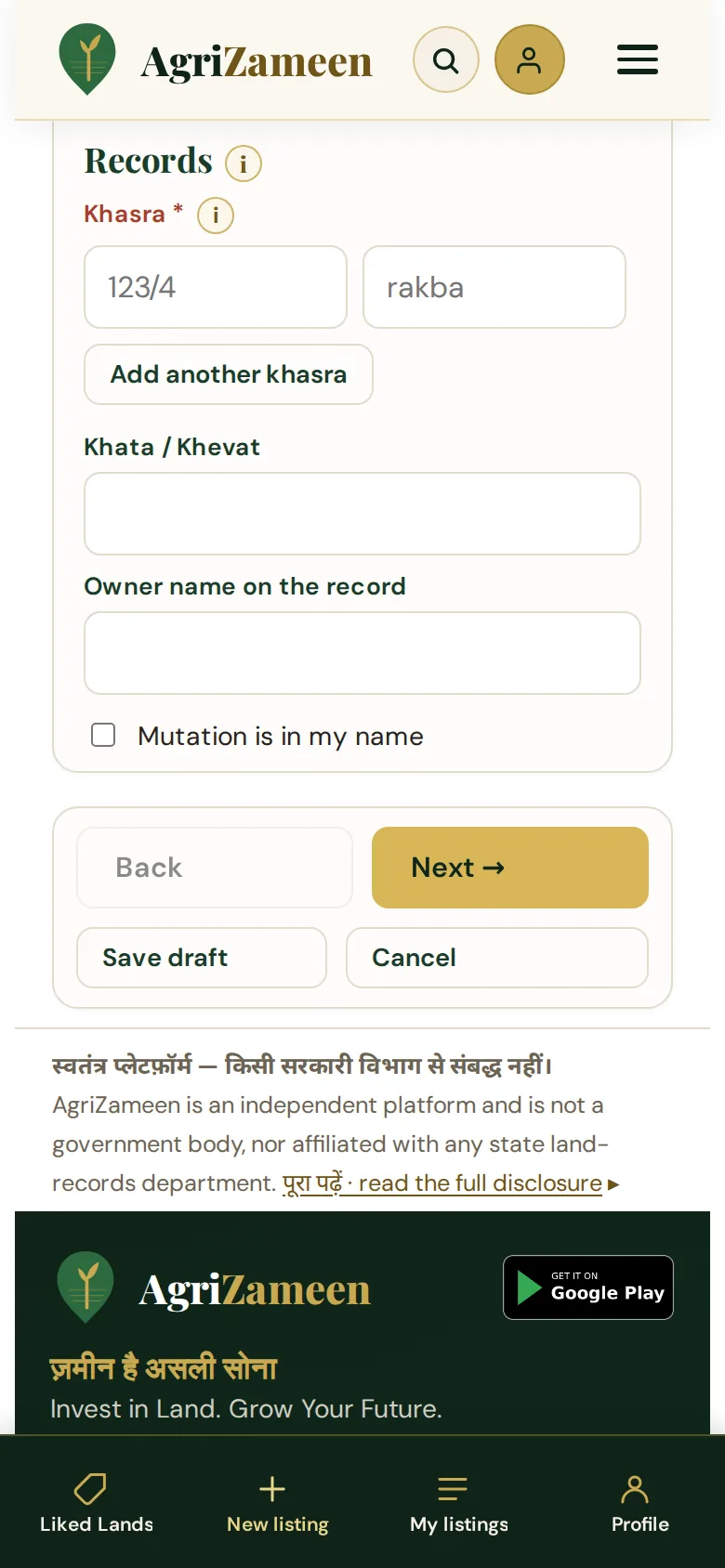
It goes live — and you stay in controlलिस्टिंग लाइव, नियंत्रण आपका
Your parcel appears on the public listings page, at its own address with its own search title. My listings gives you a search box, a status filter and a sort. Tick one listing, or several, and choose what to do: Share, PDF, Picture (a shareable image), Photos, Price, Available, Sold, Edit or Remove.
When a buyer enquires, the enquiry comes to us — never to you. We screen it for budget, purpose and timeline, then call both sides.
Listing is free. AgriZameen is paid a commission only when a sale actually completes. Nothing before that.
My land is sold / please remove itWhatsApp +91 70149 86988 · अभी बात करें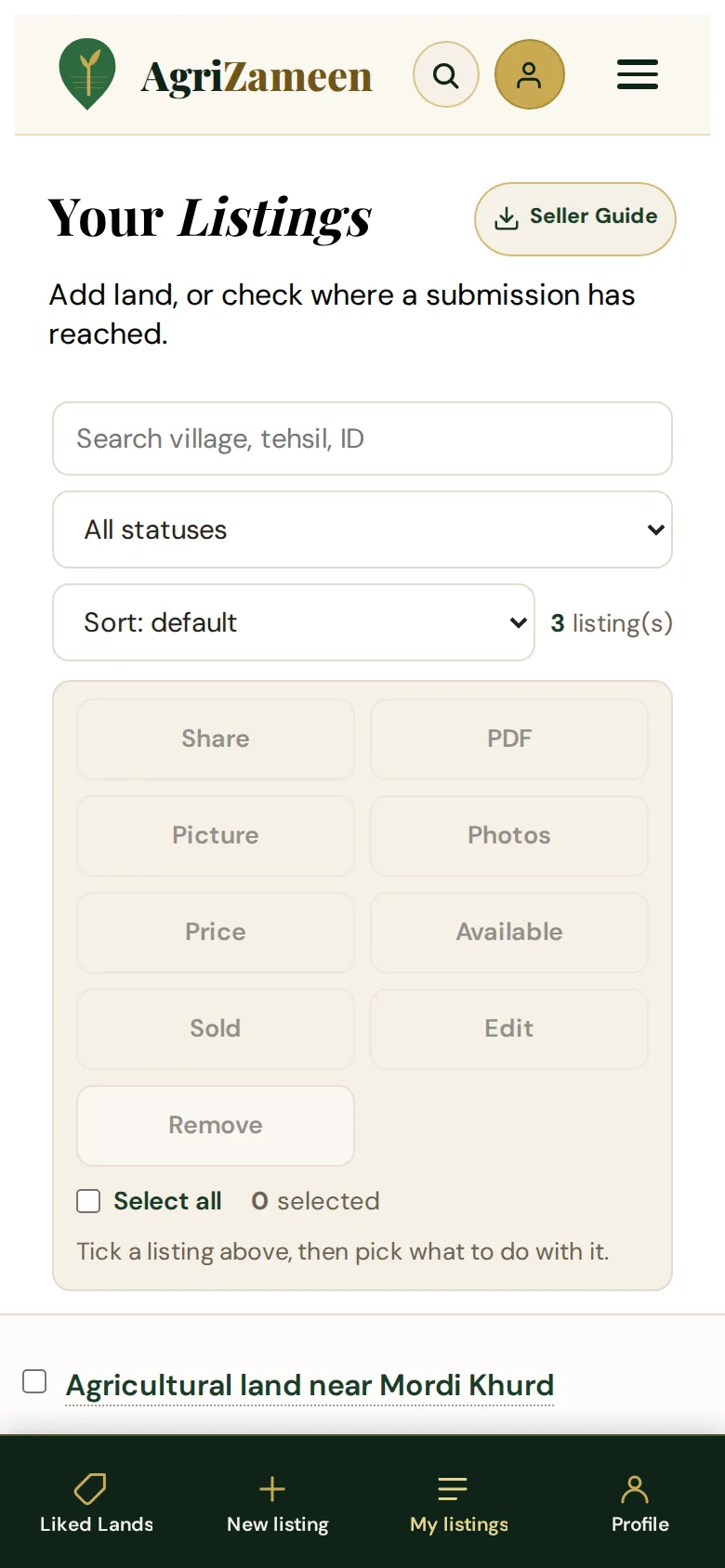
What buyers never seeख़रीदार को क्या नहीं दिखता
- Your phone numberEvery enquiry comes to the AgriZameen team. No buyer is ever handed your contact.
- Khasra & khata numbersStored separately from the public listing — the public page does not read from that table at all.
- The khatedar's nameDocuments are redacted by our team before anything is published.
- Your price floorWhat you will accept is ours to negotiate with. It is never printed.
- Exact coordinatesThe listing shows the area and the belt, not a pin on your boundary.
- Your ID documentDeleted from the server the moment verification completes. Only the fact of verification remains.
If something in your case is complicatedअगर मामला उलझा हुआ है
Most land in the belt has at least one knot in it. None of these disqualify you — they just change the route. Tell us early rather than late.
The land is in my father's or grandfather's nameमेरे पिता/दादा के नाम है
Then the sale needs the नामांतरण done first, or every recorded heir signing. Send us the jamabandi and we will tell you which route applies — before you spend on anything.
Land is in an ancestor's name — what do I do?The khata is joint with my brothersखाता भाइयों के साथ संयुक्त है
A joint khata can be sold as an undivided share or after बँटवारा. Which one is right depends on what the buyer wants. Talk to us before you promise anything to a buyer.
My khata is joint — can I still list?There is a रहननामा / loan entry on the recordरिकॉर्ड में रहननामा दर्ज है
We will still list it, and we will state it. We do not quietly reprice a parcel to hide a charge on it — it gets disclosed, and the buyer decides.
There is a loan entry on my landI am SC/ST, or the buyer isमैं SC/ST वर्ग से हूँ
Transfers of SC/ST-held agricultural land in Rajasthan carry restrictions under the Rajasthan Tenancy Act. This is not something to guess at. Tell us early and we will route it through an advocate.
SC/ST land rules — please check my caseI live abroadमैं विदेश में रहता/रहती हूँ
You can generally continue to hold and sell agricultural land you already own or inherited. Selling is usually to a resident Indian citizen. We handle this from the NRI desk.
I am an NRI with land in RajasthanI cannot read or fill formsमुझसे फ़ॉर्म नहीं भरा जाता
Then don't. Send a photo of the jamabandi and a voice note saying where the land is. That is the whole of Route A, and it is free.
I want to do everything on WhatsAppStuck anywhere? Just send a message.कहीं भी अटकें — मैसेज कीजिए
You do not need to finish this alone, and you do not need to finish it on the website. Send a photo of your land, a photo of your papers, or a voice note saying where the land is. We will take it from there.
Adheer & Tarun — AgriZameen, Jaipur · +91 70149 86988 (listing desk) · +91 92502 13833 · info@agrizameen.com